

In the rapidly evolving digital landscape of 2026, the bridge between design and development has finally been crossed. For years, designers lived in static canvas tools while developers wrestled with translating those visions into code. Today, that friction is a relic of the past, thanks to Framer.
If you are looking to build a high-performance, visually stunning website without the traditional “hand-off” headaches, you’ve likely heard the buzz. But is it just another “no-code” builder? Not exactly. Framer is a design-to-site powerhouse that combines the creative freedom of Figma with the performance of a high-end engineering stack.
Why Modern Startups are Switching to Framer
The traditional workflow—designing in one app, exporting assets, and then coding in another—is slow and prone to errors. Framer eliminates this loop. Here is why it has become the gold standard for marketing sites, portfolios, and landing pages.
1. Design and Publish in Real-Time
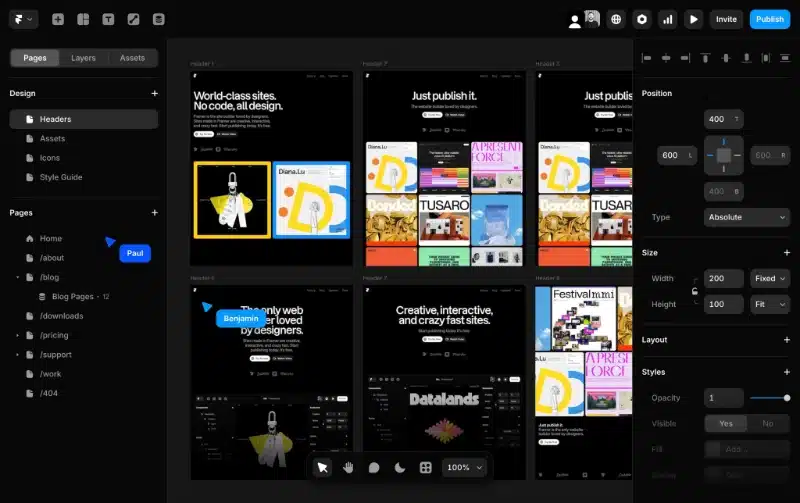
With Framer, what you see on your canvas is exactly what appears on the web. It uses a Layout Engine based on CSS Flexbox and Grid, meaning your designs are inherently responsive and web-ready. There is no “export to HTML” button because the canvas is the web.
2. The Power of “Figma to HTML”
One of Framer’s most “magical” features is the ability to copy layers directly from Figma and paste them into Framer. It intelligently converts your design components into functional web elements. This single feature has reduced production times for agencies by up to 60%.
3. World-Class Performance and SEO
A beautiful site is useless if it doesn’t rank. Framer sites are optimized out of the box for:
- Core Web Vitals: Blazing fast load times and minimal Cumulative Layout Shift (CLS).
- Automatic SEO: Semantic HTML tags, customizable metadata, and automatic sitemap generation.
- Global CDN: Your site is hosted on a world-class infrastructure, ensuring 99.9% uptime.
Technical Deep Dive: Beyond Simple Drag-and-Drop
While Framer is accessible to beginners, it offers “infinite headroom” for power users and developers.
Advanced Animations and Interactions
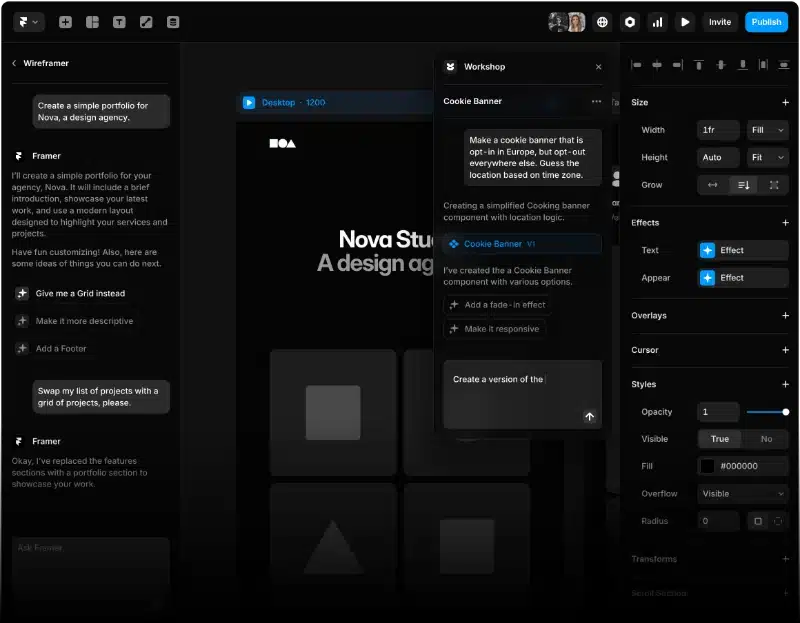
Framer’s animation engine is powered by Framer Motion, the industry-standard React library. You can create complex scroll transforms, hover effects, and parallax backgrounds without writing a single line of code.
CMS (Content Management System)
For blogs, job boards, or real estate listings, Framer’s CMS is remarkably intuitive. You can define custom fields (text, images, toggles, formatted content) and generate hundreds of pages instantly using a single collection template.
Custom Code Integration
If you need something truly bespoke—like a custom 3D viewer or a complex API integration—Framer allows you to write Custom Code Components in React. This makes it a hybrid tool that satisfies both the creative director and the lead engineer.
Comparing Framer to the Competition
| Feature | Framer | Webflow | WordPress |
| Ease of Use | High (Figma-like) | Medium (Steep curve) | Low (Plugin heavy) |
| Animation | Best-in-class | Advanced | Limited/Plugin-based |
| Speed to Launch | Ultra Fast | Moderate | Slow |
| Maintenance | Zero (Managed) | Zero (Managed) | High (Updates/Security) |
Step-by-Step: Launching Your First Framer Site
- Start with a Canvas: Choose a blank slate or one of the thousands of world-class templates.
- Define Your Styles: Set your global colors and typography to ensure consistency.
- Build with Stacks: Use “Stacks” (Auto Layout) to ensure your design adapts perfectly to mobile, tablet, and desktop.
- Add Interactivity: Use the “Effects” menu to add scroll appearances or hover states.
- Hit Publish: Your site is live on a custom domain in seconds.
Conclusion: Is Framer Right for You?
If you are a startup looking to iterate quickly, a freelancer wanting to offer high-end web services, or a marketing team that needs to update landing pages without waiting for a developer’s sprint, Framer is the answer. It’s not just a website builder; it’s a competitive advantage.
It empowers you to move at the speed of thought, ensuring that your first impression on the web is as polished as your brand.
👉 Official website: framer.com